Threat Intelligence Sources: Evaluate Evidence Before You Act
Use isMalicious Sources and Threat Patterns to examine freshness, contribution, agreement, coverage, and corpus-wide patterns before turning a detection into action.
 IsMalicious Team
A detection count is not a confidence score. Ten feeds can repeat one upstream observation, while one specialist source can contribute direct and timely evidence that no other feed contains.
The isMalicious Sources workspace makes this distinction visible. It combines a searchable feed directory with freshness, entity coverage, unique contribution, agreement, and source intelligence. The Patterns view then shows what those sources reveal across the larger corpus.
This follows NIST SP 800-150, which advises organizations to identify threat-information sources, define sharing goals, and make effective use of the resulting information. Source selection and evaluation are part of analysis, not a procurement detail hidden behind the verdict.
Read the Feed Directory as Evidence Context
Each source row describes more than a name. Depending on available telemetry, you can inspect:
- the entity type covered by the source;
- its category, pack, provider, and status;
- the age of the latest update;
- total entities and the IP/domain composition;
- entities uniquely attributed to that feed;
- the share that unique coverage represents;
- a link to the source itself.
Use the filters to narrow by source type, category, pack, or a search term. This matters when the investigation concerns a specific evidence class. A malware hash feed, a domain-abuse list, a CVE source, and a cryptocurrency source answer different questions even if they all contribute to the same report.
Separate Coverage from Contribution
Coverage asks how much data a feed contributes. Unique contribution asks how much of that data only the feed contributes in the current corpus.
A high-volume feed with no unique entities may still be useful for confirmation, resilience, or refresh cadence. A smaller feed with a high unique share may expose a niche that broader sources miss. Neither measure proves correctness by itself.
Use the pair to ask better questions:
- Is this source broad, specialized, or mostly confirmatory?
- Does it add distinct visibility?
- Is its unique coverage relevant to our assets and threats?
- Is the information fresh enough for the decision?
- Can we trace the claim to the original provider?
An echo indicator is a prompt to inspect provenance. It is not an automatic reason to discard the source.
Look for Independent Agreement
Agreement becomes meaningful when the sources are genuinely independent. Several lists can ingest the same upstream feed, copy the same report, or publish the same community submission.
The source-intelligence cards help analysts review multi-source detections and agreement alongside freshness and contribution. Use that context before escalating a Smart Lookup result.
For a high-impact decision, open the source links and inspect what each source actually asserts. One may report historical association, another current malicious activity, and another only a category label. Counting all three as identical “votes” would erase important differences.
Move from Sources to Corpus-Wide Patterns
The former Intelligence workspace now lives in the Patterns tab of Threats. That view aggregates several analytical lenses:
- category and entity distribution;
- multi-source detections;
- leading malware families and threat types;
- active campaigns;
- network-level intelligence;
- vulnerability patterns;
- domain and registration patterns;
- certificate health.
Patterns help you form a hypothesis. They do not prove that a specific entity is malicious. If registration patterns show a change in newly observed domains, use that signal to choose what to investigate, then return to the entity report and its sources.
The Threats dashboard guide shows how to connect patterns with sectors, actors, malware, and victims.
Use a Five-Question Source Check
Before taking a blocking, containment, or escalation decision, ask:
- Relevance: Does the source speak directly about this entity and the activity we care about?
- Recency: When did it observe or update the evidence?
- Provenance: Is it the original observer, a processor, or a republisher?
- Independence: Do supporting sources rely on separate observations?
- Actionability: Does the evidence justify the proposed action for this asset and business context?
Record short answers in the alert or case. Another analyst should be able to reproduce the decision without guessing which green or red badge carried the most weight.
Connect Source Quality to the Response Workflow
Use sources throughout the investigation, not only when challenging a verdict:
- Identify a change in Threats and Patterns.
- Open the relevant entity through Smart Lookup.
- Inspect source freshness, contribution, and agreement.
- Keep related indicators together in a composite report.
- Send the validated finding to Alerts and Action Center.
- Preserve the evidence and reasoning in report history or a case.
This sequence avoids two opposite errors: trusting every feed equally and dismissing a finding because only one specialized source observed it.
Make Source Review a Habit
Source quality changes. Feeds go stale, providers change formats, coverage shifts, and a once-distinct list can become an echo of other collections. Use the refresh control and review the directory regularly, especially before relying on a source for automated enforcement.
The practical goal is not to find one perfect feed. It is to understand what each source contributes, where independent evidence agrees, and how the combined intelligence supports a specific decision.
FAQ
Frequently asked questions
What can I review on the isMalicious Sources page?
You can review the feed catalogue, source type, category, status, freshness, entity counts, unique contribution, and source-level intelligence. Filters help narrow the directory by type, category, pack, or search term.
Does a larger feed automatically provide better evidence?
No. Volume describes coverage, not accuracy or relevance. Consider freshness, unique contribution, independent agreement, the kind of source, and whether the evidence applies to the entity and decision in front of you.
What does unique contribution mean?
It counts entities attributed only to that feed within the current corpus. A high unique share can reveal distinctive coverage, while a zero value can indicate that the feed currently repeats entities also supplied elsewhere.
Where did the former Intelligence page go?
Its corpus-wide analytics are now in the Patterns tab of the Threats dashboard. Existing Intelligence links redirect there so source review and threat patterns remain connected.
How many sources are enough to trust a detection?
There is no universal number. Two independent, fresh, relevant sources can outweigh many copied entries. Inspect the underlying source context and validate high-impact decisions with the strongest available evidence.
Related articles
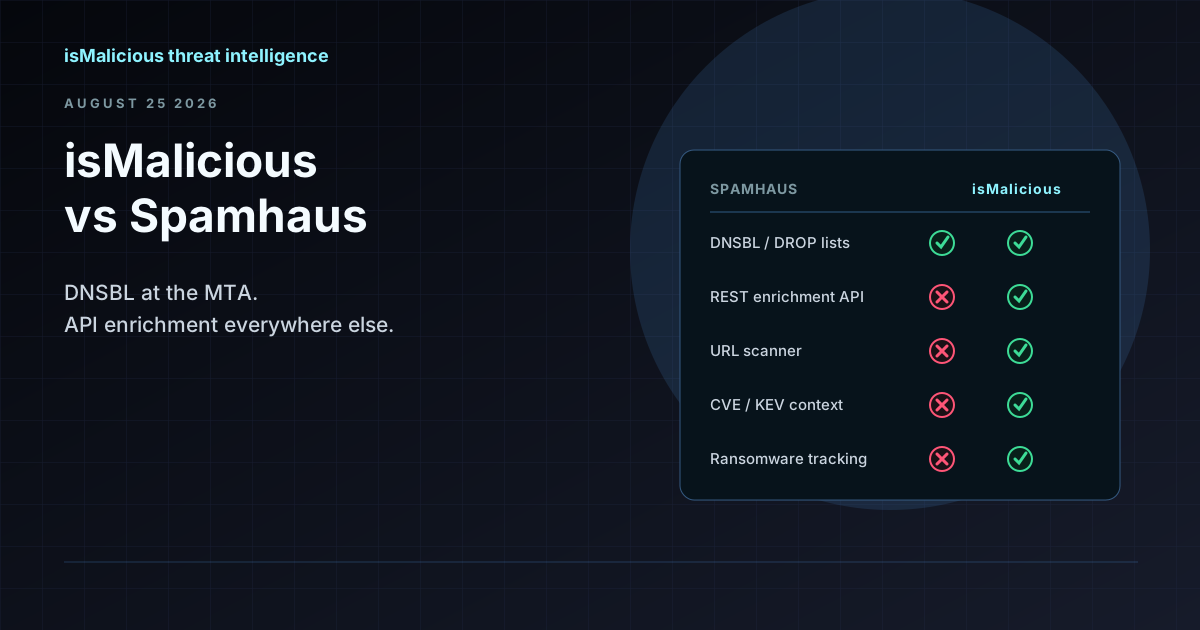 isMalicious vs Spamhaus: DNSBL Blocklists and Threat Enrichment Serve Different Layers
Spamhaus DROP and SBL are the standard for mail and network DNSBL blocking. isMalicious adds REST enrichment, URL scoring, CVE context, and STIX feeds. Most mature stacks use both at different layers.
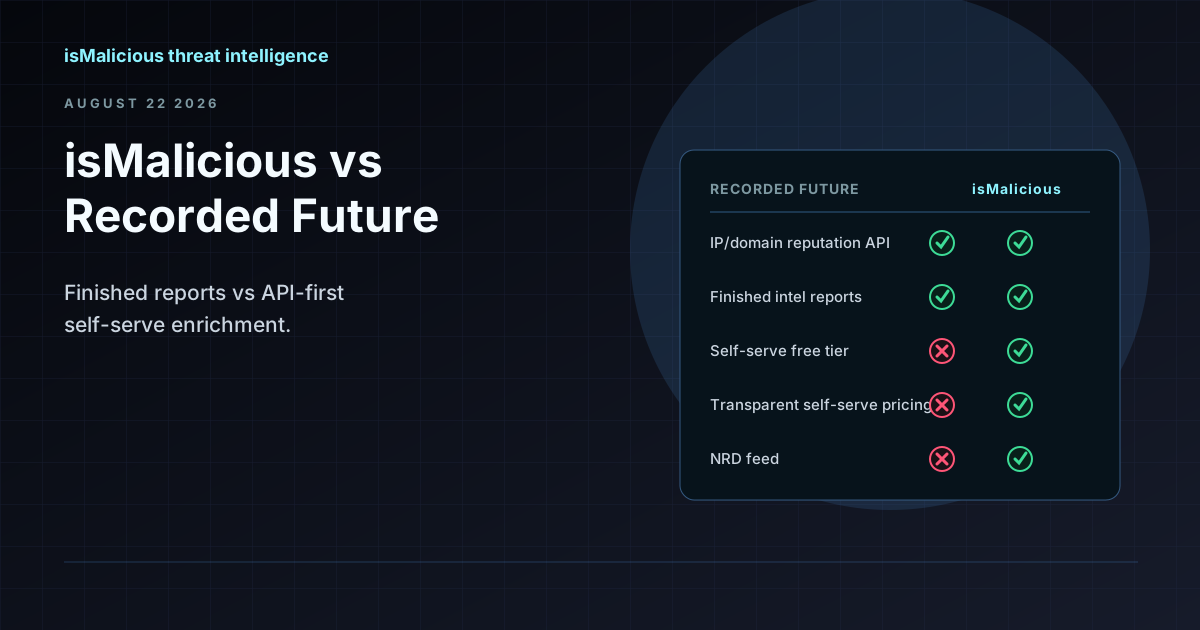 isMalicious vs Recorded Future: When a Threat Data API Makes More Sense Than an Enterprise Intel Program
Recorded Future delivers finished intelligence and analyst support at enterprise scale. isMalicious delivers self-serve enrichment and feeds without a sales cycle. The right choice depends on whether you need strategic reports or automated verdicts.
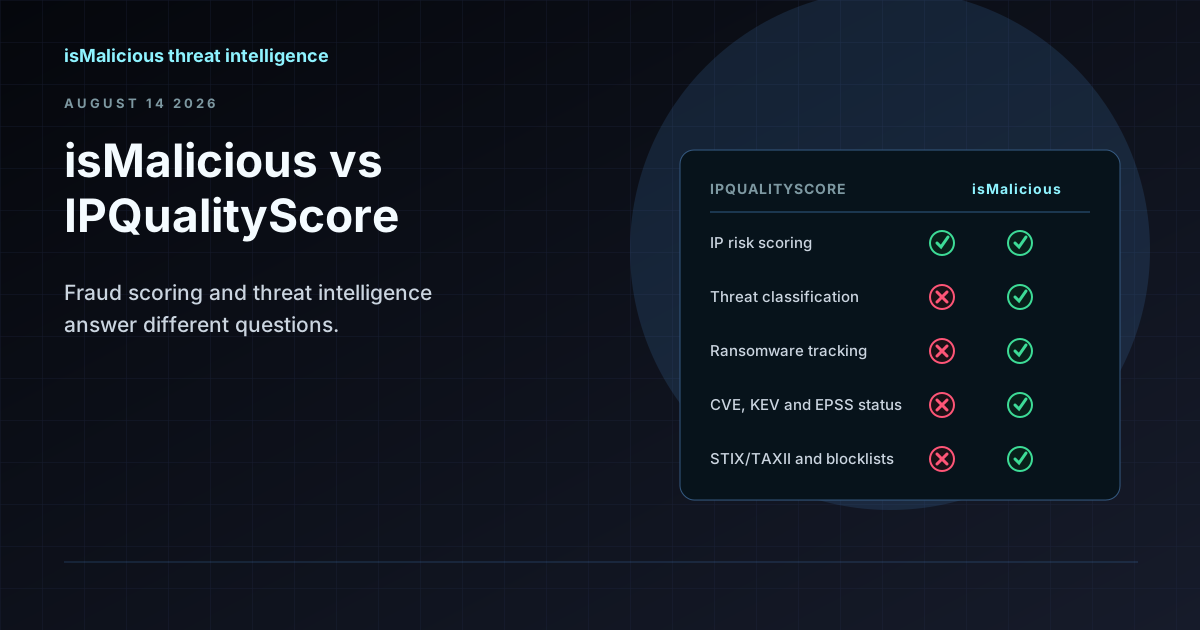 isMalicious vs IPQualityScore: Fraud Scoring and Threat Intelligence Are Different Jobs
IPQS scores whether a signup is fraudulent. isMalicious scores whether infrastructure is malicious. The two get compared constantly because both return a number about an IP address — and they answer different questions.
Check any IP or domain
See what our indexed threat intelligence records say about it.
Try the IP / Domain Checker