STIX / TAXII
Feeds for your SOC
Import threat indicators into OpenCTI, MISP, your SIEM or firewall.
Evaluate a feedInvestigate an IP, domain or suspicious link. See the sources behind the verdict. Bring the intelligence into your SIEM, product or AI assistant. Start free: website lookups with no monthly cap, and 250 API requests a month.
Example verdict
Malicious| Evidence | Finding | Source |
|---|---|---|
| Reputation | MaliciousSource: Blocklists | Blocklists |
| Activity | Command & controlSource: Observations | Observations |
| Network | Ports 443 · 8443Source: ASN · ports | ASN · ports |
Understand why something was flagged, see the evidence behind it, and make informed decisions in the tools you already use.
Jean-Vincent · Founder of IsMalicious

English audio · English and French captions
Hi, I'm Jean, founder of IsMalicious. We help you investigate suspicious IPs, domains and URLs, and understand the evidence behind the signals. You can use that intelligence in your AI tools through MCP, in your SIEM with STIX and TAXII, or in your own applications through our API. We built this because a threat label alone isn't enough. You need sources and context to make a decision you can explain.
Threat intelligence for your tools, your product and your AI assistant.
Import threat indicators into OpenCTI, MISP, your SIEM or firewall.
Evaluate a feedCheck an IP, domain or URL. Get a JSON verdict with source evidence.
Test the APIAsk your assistant to check an indicator and return its verdict and sources.
Install MCPComparing before you choose? See the data products: blocklists, malware hashes and STIX/TAXII feeds, or how isMalicious compares with VirusTotal, AbuseIPDB and urlscan.io.
Every result lists its sources. Use the data through the API, STIX/TAXII feeds or MCP.
No Card Required
A captured TAXII sample, imported and read back in a local OpenCTI instance. Check what transferred, what changed and what still needs validation in your tool.
An internal TAXII sample was imported into a disposable local OpenCTI instance and read back through GraphQL. This is a local validation, not a customer deployment.
Collection: malicious-ips
TAXII capture:
Readback verified:
TAXII capture: 2 pages. More pages remained; the collection was not fully captured.
Validity dates changed during import. The cause is not established; verify expiration behavior in the workflow you evaluate.
No customer deployment or automated polling was validated.
Validate pagination, expiration and import effort in your own tool. The sample is an internal test.
An internal TAXII sample was imported into a disposable local OpenCTI instance and read back through GraphQL. This is a local validation, not a customer deployment.
No Observable or firewall export was established. Indicator enrichment and an export that requires Observables are different workflows.
No automated TAXII polling, customer production deployment, MISP/SIEM import or detection accuracy was validated.
Distinct sources with at least one indicator in the corpus at the last nightly rebuild, and some of the providers behind them.
Counted when the corpus is rebuilt each night. The verdict for an indicator lists the sources that actually returned it.
| Source | Type |
|---|---|
| AbuseIPDB | ip |
| URLhaus | url |
| Community IOC feeds | mixed |
| IsMalicious | multi |
31M+
Indexed indicators
Records counted in the indicator corpus.
593
Sources in the corpus
Distinct sources with at least one indicator in the corpus; not customer references.
144K+
Additions today
Records added to the corpus today.
62%
Multiple-source records
Share of records listed by two or more sources.
Counters read at 2026-11-07T15:46:40.139Z. Indicator dates vary by source.
12 free lookup tools, no account needed, on the same current dataset as the API.
Send real requests to the API from your browser, without a key.
Reputation, geolocation, and abuse history for any IPv4/IPv6.
Threat verdicts and enrichment for any domain.
Domain, certificate and phishing or malware listings for any link.
MD5, SHA-1, SHA-256 against malware corpora.
Registration records with risk signals parsed out.
Historical resolutions to trace infrastructure.
Spot newly registered domains.
Domains that resolve to an IP address.
Map the attack surface of any domain.
The organization, route and location behind an IP.
Paste a list of indicators, triage them in one pass.
curl -d "email=you@example.com" https://ismalicious.com/api/keys/instant250 free requests/month · instant API key · no signup form
An API key, monitoring and a report history for the checks you run here.
Create free accountWebsite lookups: no monthly cap · 250 API requests/month · free API key · no credit card required
For individuals and small projects.
Live STIX/TAXII feeds for MISP, OpenCTI and your SIEM, plus 10,000 API requests/month.
Higher volumes, and help connecting the data to your tools.
A public sample. A free account shows the full list and each record’s context.
| Ransomware Activity | |
| high severityTribunal de Justica do Estado de Minas Gerais | rhysida · Government & DefenseNov 7 |
|---|---|
| high severityAutohaus Arnold | payload · Retail & E-CommerceNov 7 |
| high severityBrauco | payload · Not FoundNov 7 |
| high severitySchroers Ingenieure | payload · Professional ServicesNov 7 |
| Recent CVEs | |
| medium severityCVE-2026-124318 | Treeio through 2.0 contains an insecure deserialization vulnerability in UpdateRecord.get_format_strings and M…CVSS 7.2 |
| high severityCVE-2026-123966 | A vulnerability was determined in Tenda AC19 16.03.10.07. Affected by this issue is the function saveParentCon…CVSS 10.0 |
| high severityCVE-2026-120984 | A flaw was found in the Keycloak server's client management component. When a client is created or imported wi…CVSS 9.1 |
Vulnerability enrichment adds severity, known exploitation and a dated estimate. Inspect this captured API example alongside the primary sources.
CVE-2024-3400
Palo Alto Networks PAN-OS / GlobalProtect
API capture:
EPSS is a model estimate for the next 30 days. FIRST score date: Oct 08, 2026, checked separately.
This API example does not validate a feed import or protection of an asset.
Open the current CVE recordCheck provenance, overlaps, useful additions, dates and import effort against your internal tools and CERT sources.
CVSS describes severity. EPSS estimates exploitation probability over the next 30 days; it is not certainty. These signals do not measure IsMalicious detection accuracy.
The EPSS date was checked separately with FIRST. The captured IsMalicious response does not return that score date. CISA KEV dates are historical catalogue dates.
Product context does not verify an installed version or an affected-package match.
The captured CVSS vector is absent and lastModified is empty. This is a selected response excerpt, not a coverage benchmark.
Reproduce the API lookup:
GET https://api.ismalicious.com/cve/CVE-2024-3400Use authorized account credentials. This capture used an internal paid account; Free-tier access was not demonstrated.
{
  "id": "CVE-2024-3400",
  "severity": "CRITICAL",
  "cvssScore": 10,
  "cvssVector": null,
  "published": "2024-04-12T08:15:06.230+00:00",
  "lastModified": "",
  "epssScore": 0.99999,
  "isKev": true,
  "kev": {
    "listed": true,
    "dateAdded": "2024-04-12T00:00:00+00:00",
    "dueDate": "2024-04-19T00:00:00+00:00"
  }
}Anything else? Reach out to us.
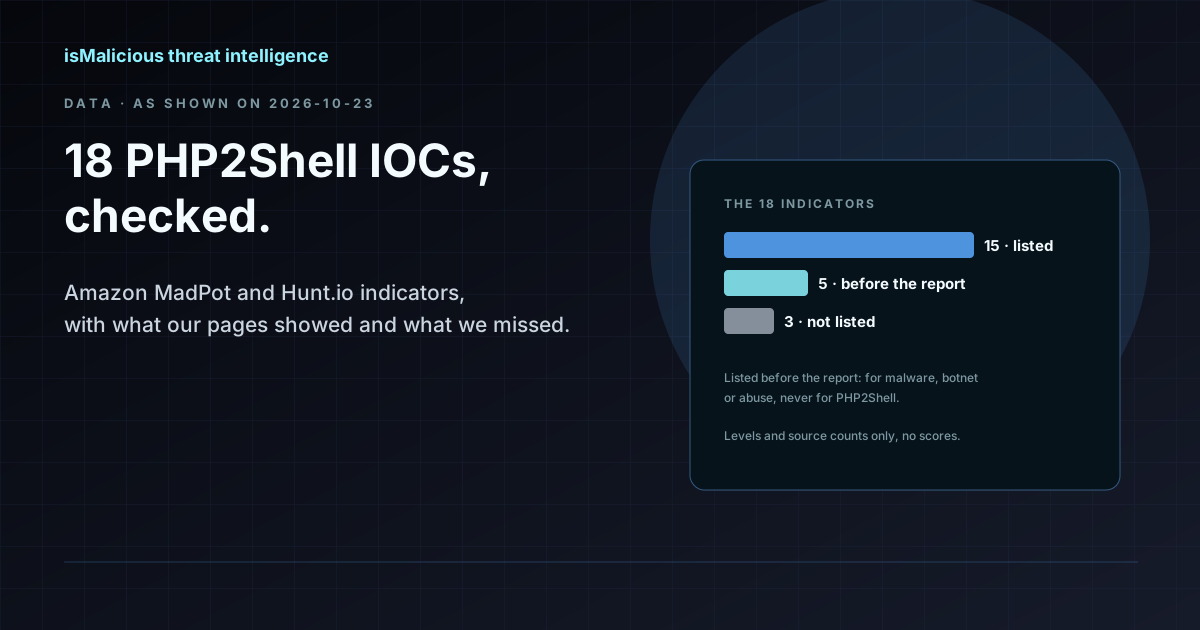
18 published PHP2Shell indicators, looked up on 23 October 2026: 15 listed, 5 provably before the report that named them, for malware or abuse, and 3 missed.
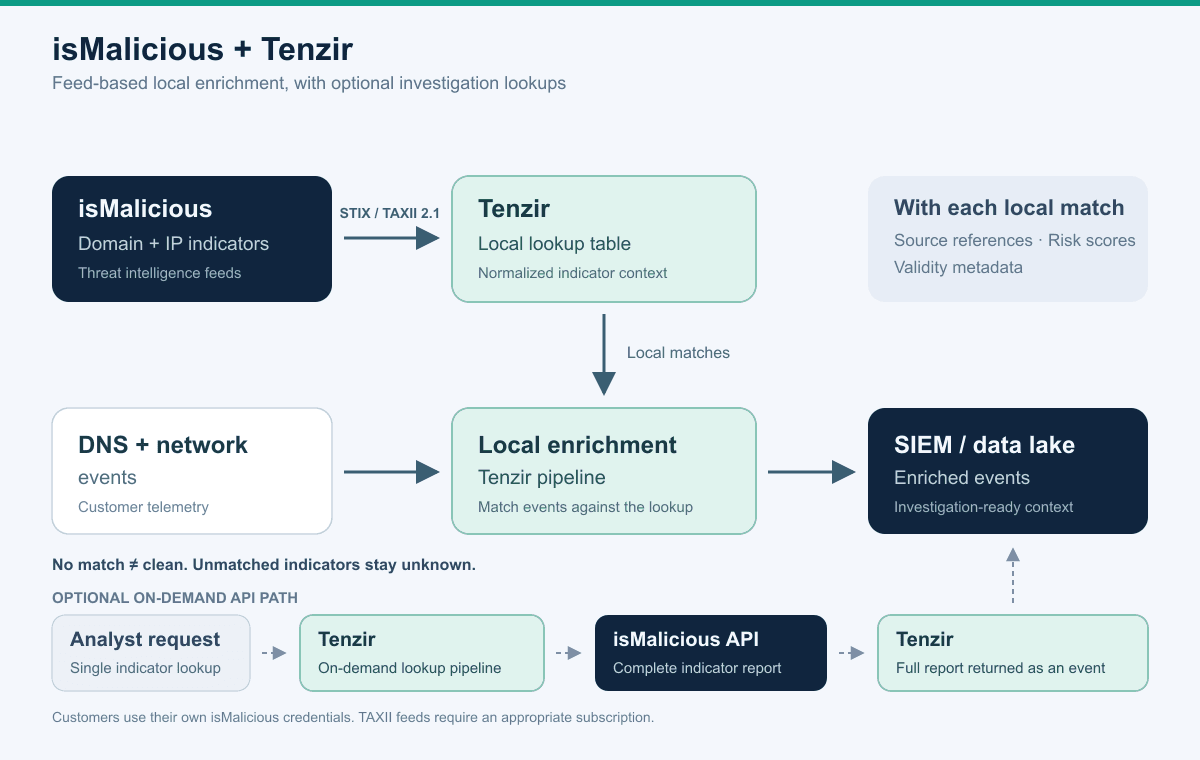
Connect isMalicious domain and IP feeds to Tenzir over STIX/TAXII for local DNS and network enrichment, with optional API lookups for investigations.
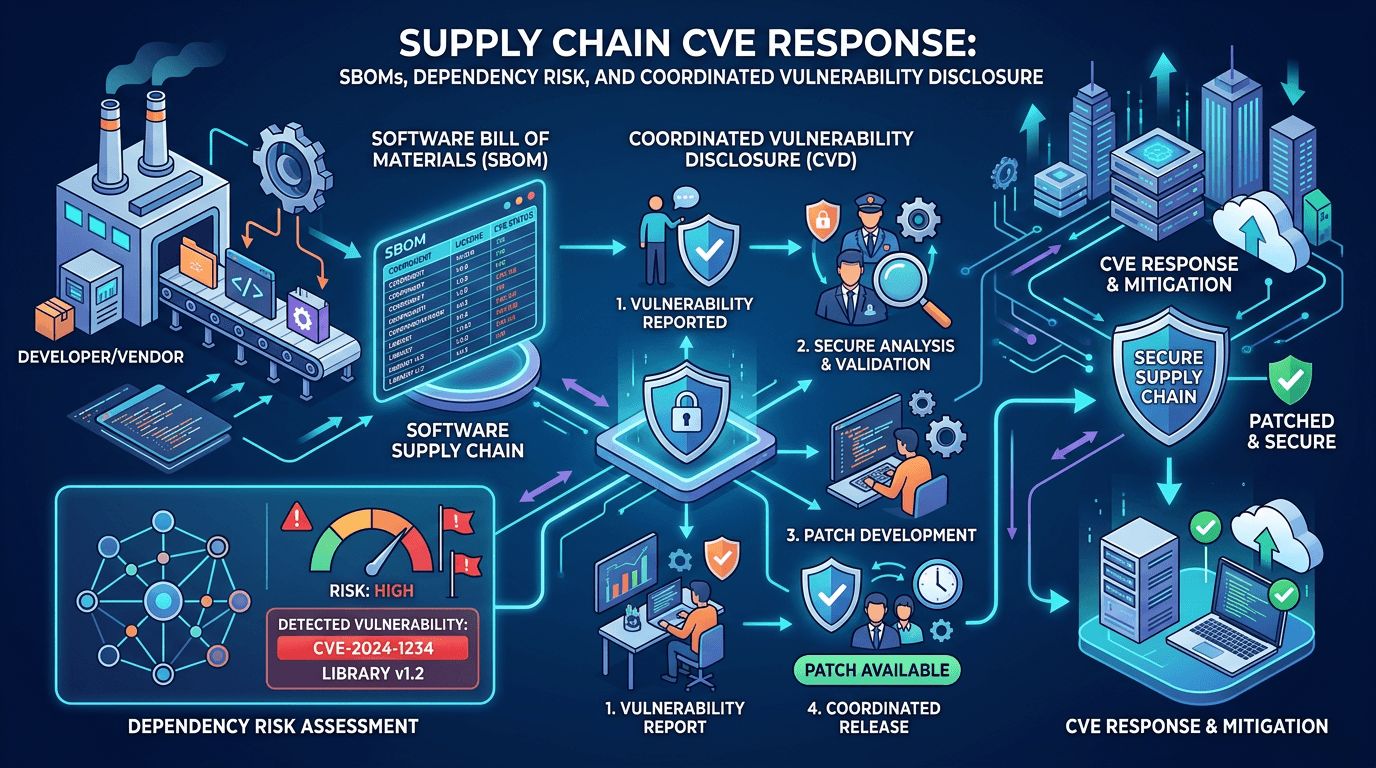
Check the product, version, justification, and evidence in a VEX advisory before closing a CVE alert or postponing a patch.

Separate revocation, expiration, and domain reputation. Verify the exact certificate, status freshness, and behavior observed by the client.
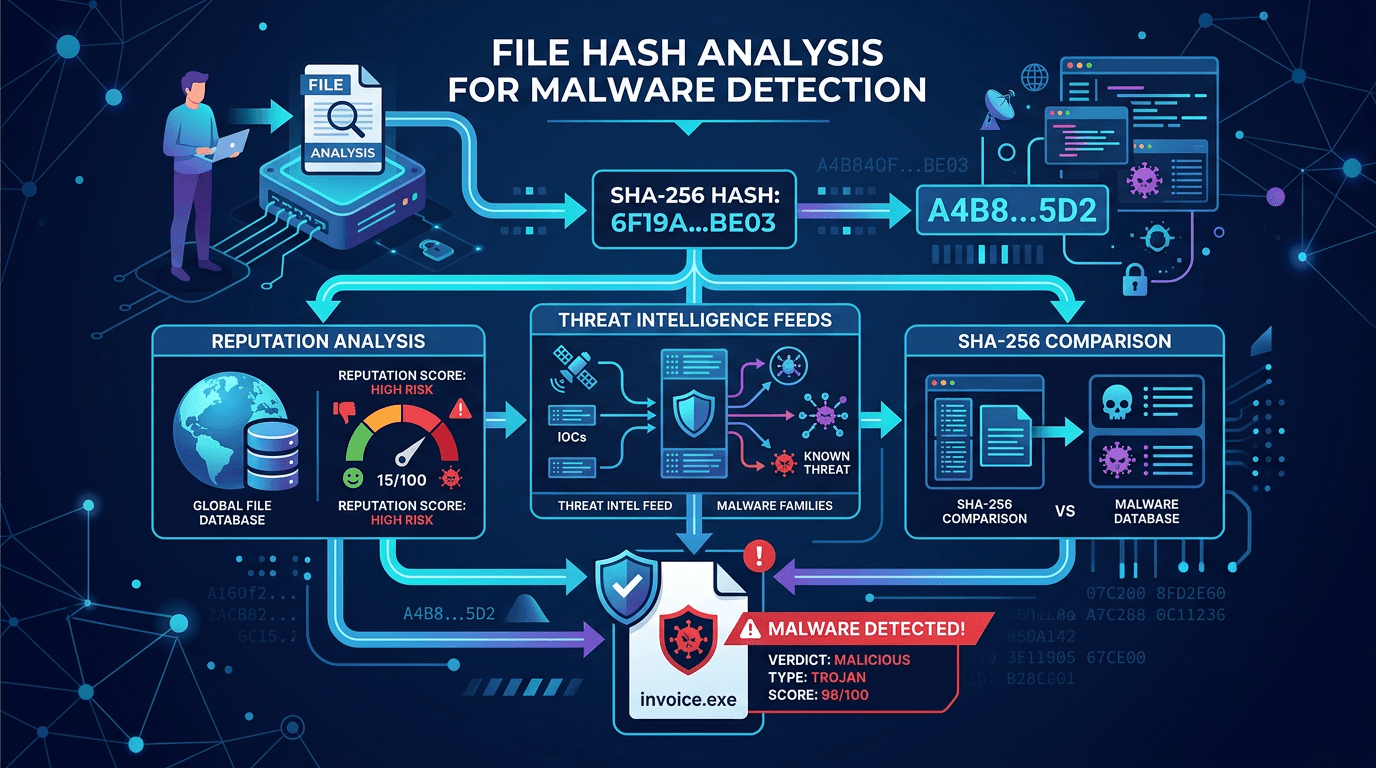
Handle a password-protected archive without opening it on a user workstation: collection, isolation, hashes, and a documented decision.
Calculate SHA-256 without executing a file, compare it with the correct reference, and document the limits of a hash reputation result.