How to Use an NRD Feed to Catch Phishing Before It Lands in the Inbox
Newly registered domains are where most phishing campaigns start. This guide walks through NRD feed workflows for brand monitoring, mail gateway hygiene, and SOC triage — without treating domain age as a blunt block rule.
 IsMalicious Team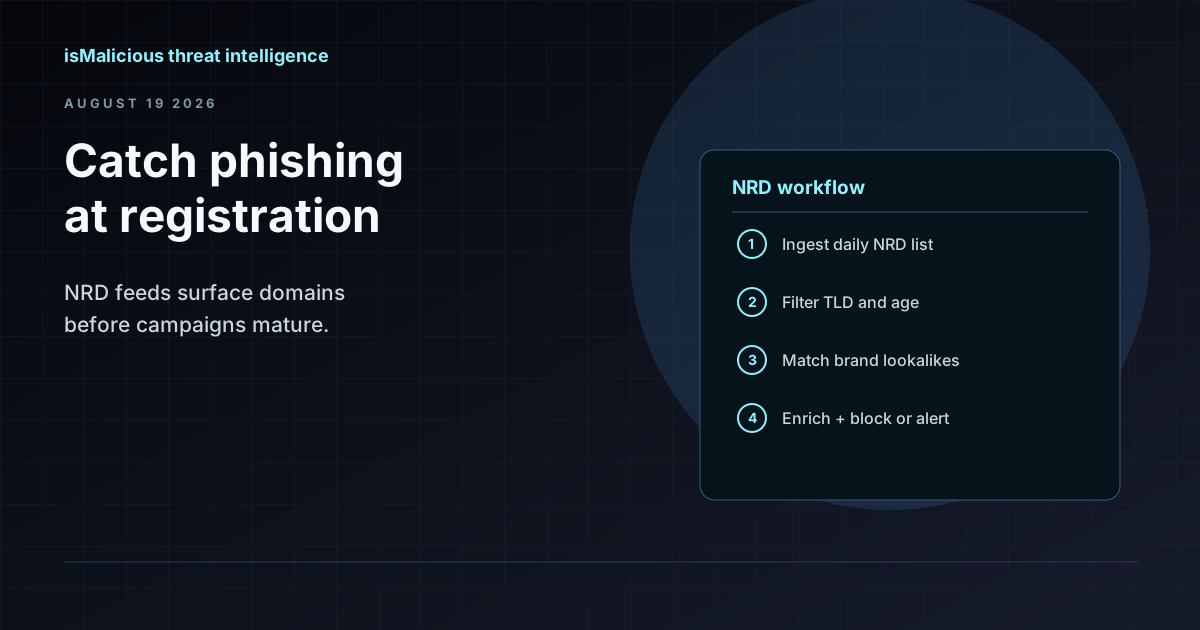
Phishing operators register fresh domains because they burn through them fast. A lookalike site may live for 48 hours before takedown requests catch up, and by then the campaign has already collected credentials. Waiting for a domain to appear on a reputation blocklist means you are always reacting to yesterday's infrastructure.
A newly registered domain (NRD) feed closes part of that gap. Instead of waiting for abuse reports, you watch the registration stream itself — often days before the first phishing email ships. The NRD List from isMalicious adds roughly 100,000 to 150,000 domains per day, with major TLDs showing up within 24 hours of registration. You can filter by TLD and by age window (1, 7, or 30 days) to match what your team can actually review.
This guide covers three operational workflows: brand monitoring, mail gateway hygiene, and SOC triage. It also explains why domain age alone is a terrible block rule — and what to combine it with instead.
Why NRD Monitoring Works for Phishing
Phishing infrastructure follows a predictable lifecycle:
- Register a lookalike domain (
secure-paypa1-login.com,microsoft-auth-update.net). - Point DNS at cheap hosting or a compromised CMS.
- Send mail or ads linking to the site.
- Collect credentials until someone reports it.
- Abandon the domain and repeat.
Steps 1 and 2 happen before any victim clicks. An NRD feed lets you spot step 1 on the day of registration — sometimes before DNS is even configured. That window is where brand protection teams and email security engineers get the most value.
The feed is noisy. Most new domains are legitimate: startups, campaign microsites, personal projects. Your job is not to block everything young. Your job is to filter the firehose down to matches worth an analyst's time.
Why Age Alone Is Not a Block Rule
It is tempting to write a firewall or mail rule: "deny any domain registered in the last 7 days." Do not do this without additional conditions.
False positives you will hit immediately:
- A vendor registers a portal domain the week your procurement team onboards them.
- Marketing launches a product microsite on a fresh domain for a conference.
- A SaaS customer uses a newly registered domain for a legitimate integration callback.
- Free-tier email providers and link shorteners constantly rotate young domains.
What age actually tells you: the domain has no established reputation history. That is a prior, not a verdict. A domain registered yesterday is more likely to be disposable attack infrastructure than one registered in 2015 — but "more likely" is not "guilty."
Treat age as a scoring input, not a binary decision:
| Signal | Weight | Example |
|---|---|---|
| Age < 7 days | Medium | Raises priority, does not auto-block |
| Brand fuzzy match | High | paypa1-secure.com vs your brand list |
| Suspicious TLD | Low–Medium | .xyz, .top alone mean little |
| WHOIS privacy + young age | Medium | Common in phishing, also common legitimately |
| Already flagged in reputation DB | High | Confirms with external evidence |
Use the Domain Age lookup to pull registration dates for individual indicators during triage, and WHOIS for registrar and nameserver context.
Workflow 1: Brand Monitoring
Goal: Detect domains that impersonate your brand before they send mail or serve pages.
Steps:
-
Build a keyword list from your brand names, product names, common misspellings, and executive names. Include hyphenated and concatenated variants (
yourbrand-login,yourbrandsecure). -
Pull daily NRD exports filtered to your priority TLDs (.com, .net, country codes you operate in). Skip TLDs you never use unless your threat model includes them.
-
Run fuzzy matching against the keyword list. Tools like
fuzzywuzzyorrapidfuzzin Python work; many TIP platforms include built-in brand rules. -
Enrich hits before escalating. For each match:
- Check WHOIS for registrar and creation date.
- Resolve DNS — is there an A record yet, or is it parked?
- If a page exists, run the URL Scanner to capture redirects and form fields.
-
Triage tiers:
- P1: Active page collecting credentials that mimics your login flow → takedown request + internal block.
- P2: Registered lookalike, no page yet → monitor for 72 hours, pre-stage block rule.
- P3: Weak fuzzy match, unrelated content → log and close.
-
Feed confirmed impersonations into your blocklist and mail gateway rules. Document the domain in your case tracker with registration date and takedown status.
Brand monitoring is the highest-ROI NRD use case because the signal-to-noise ratio is manageable when you filter on your own names.
Workflow 2: Mail Gateway Allowlist Hygiene
Goal: Stop recently registered domains from bypassing your spam filters through allowlist exceptions.
Many organizations maintain allowlists for partners, newsletters, and SaaS notifications. Over time these lists accumulate stale entries and overly broad patterns (*.vendor.com that now resolves differently). Worse, some teams allowlist entire TLDs or registrars to reduce false positives — which creates a hole attackers can walk through with a fresh domain.
Steps:
-
Audit your allowlist quarterly. Export every allowed domain and check registration age via Domain Age. Flag anything registered in the last 30 days that was not explicitly approved.
-
Add an NRD check to inbound mail policy. In your secure email gateway, create a rule: if the sender domain registered within N days AND is not on the approved-sender list, route to quarantine or add a warning banner. Start with N=7 and tune based on false positive volume.
-
Cross-reference with link domains in the message body. Phishing mail often comes from a neutral sender domain while the malicious link points to a different young domain. Parse URLs from the body and check each against the NRD feed.
-
Integrate with your email security stack. NRD data works best as an enrichment source in rules, not as a replacement for SPF/DKIM/DMARC checks or sandbox detonation.
The point is not to block all young sender domains. It is to prevent allowlist drift from creating a permanent bypass that attackers exploit with disposable registrations.
Workflow 3: SOC Triage
Goal: When an alert references an unknown domain, use NRD context to prioritize investigation.
An analyst sees a DNS query to cdn-update-service.xyz from a workstation. Is it worth a full investigation tonight?
Triage checklist:
-
Age check. Domain registered 2 days ago → elevate priority. Registered 8 years ago → standard path.
-
Reputation lookup. Query the domain intelligence page or API for existing verdicts.
-
Infrastructure pivot. WHOIS nameservers, hosting ASN, co-hosted domains. A young domain on bulletproof hosting ranks higher than one on a major CDN.
-
User context. Was the query triggered by a browser click (possible phish) or a background updater (possibly legitimate)?
-
Decision:
- Young + bad reputation + user-initiated → isolate host, collect browser history.
- Young + no reputation + background process → monitor, check again in 24 hours.
- Old + mixed signals → standard enrichment, no rush.
NRD context does not replace sandbox analysis or endpoint telemetry. It tells the analyst where to spend the next 15 minutes.
Combining Signals: A Practical Scoring Example
Here is a simple rule set you can implement in a SOAR playbook or mail gateway:
IF domain_age < 7 days
  AND fuzzy_match(brand_list) > 85%
  THEN quarantine + alert brand-protection team

IF domain_age < 3 days
  AND url_scanner.detects_credential_form = true
  THEN block + open P1 incident

IF domain_age < 30 days
  AND reputation.malicious = true
  THEN block at proxy/firewall

IF domain_age < 7 days
  AND no other signals
  THEN tag "young-domain" + allow with logging
Notice the pattern: age narrows the candidate set or raises severity, but every enforcement action requires at least one additional signal.
Operational Tips
Start with monitoring, not blocking. Run NRD matches in alert-only mode for two weeks. Measure how many would have been true positives vs. noise before enabling enforcement.
Filter by TLD early. If 90% of your phishing targets .com, do not waste analyst cycles on .church registrations unless your threat model says otherwise.
Retention matters. Keep 30 days of NRD history so you can retroactively check a domain that appeared in logs last week but was not flagged at the time.
Do not forget subdomains. NRD feeds track new registrations, not new subdomains — pair with DNS history monitoring for full coverage.
Where to Start
- Request access to the NRD List and pull a sample export for your top three TLDs.
- Build a brand keyword list and run fuzzy matching against yesterday's registrations.
- Add domain age checks to one mail gateway rule in monitor mode.
- Train analysts to check Domain Age during domain-related alert triage.
NRD monitoring will not eliminate phishing. It gives you a head start on the domains attackers treat as disposable — and when combined with brand matching, DNS context, and reputation data, that head start is often the difference between a quarantined email and a compromised account.
FAQ
Frequently asked questions
How many newly registered domains appear each day?
The isMalicious NRD feed tracks roughly 100,000 to 150,000 new registrations per day across delegated TLDs. Major TLDs such as .com and .net typically appear within 24 hours of registration.
Should I block all domains younger than 30 days?
No. Age alone produces too many false positives for legitimate product launches, marketing campaigns, and vendor onboarding. Use age as one signal combined with brand similarity, DNS patterns, and reputation scores.
How do I filter the NRD feed for my organization?
Filter by TLD, registration age window (1, 7, or 30 days), and keyword matches against your brand names. Cross-reference suspicious hits with WHOIS data and URL scanning before taking enforcement action.
Where does NRD monitoring fit in email security?
Use NRD data to flag or quarantine mail from senders whose domains registered recently, to audit allowlist entries that bypass age checks, and to feed brand-impersonation rules in your secure email gateway.
What isMalicious tools support NRD workflows?
The NRD List feed at /data/nrd-list provides daily domain exports. Domain Age and WHOIS lookups add registration context, and the URL Scanner validates landing pages before you block or report.
Related articles
 Parked Domains: Assess the Risk Before Blocking
Distinguish domain parking, expiration, and malicious behavior. Examine actual use and choose a restriction supported by the evidence.
 Certificate Transparency for Phishing Detection
Use Certificate Transparency logs to find rogue certificates, phishing subdomains, brand impersonation, and exposed assets before they become incidents.
 The Kratos Phishing Kit Takedown: 200 Servers Gone, 1,800 Copies Still Out There
German and US law enforcement dismantled Kratos, the AiTM phishing service behind roughly 15,000 Microsoft 365 campaigns a month. The infrastructure is offline, but the kit is not. Here is what to hunt for now.
Check any IP or domain
See what our indexed threat intelligence records say about it.
Try the IP / Domain Checker