Domain Lookup: How to Identify Malicious Websites Before They Strike
Malicious websites are the launchpad for phishing, malware distribution, and credential theft. Learn how domain lookup tools use reputation data, WHOIS analysis, and threat feeds to identify dangerous domains before your users click.


Every phishing attack, ransomware distribution campaign, and business email compromise scheme begins with a domain. Attackers register domains that look credible, host convincing content, and use them to deceive employees, customers, and automated systems alike. By the time a malicious domain lands in your users' inboxes or appears in your security logs, the damage may already be done.
Domain lookup for security changes this dynamic. Instead of reacting after a user clicks a suspicious link, security-conscious organizations query domain reputation data proactively — at the email gateway, in the browser, through API integrations — to catch malicious websites before they have a chance to cause harm. Understanding how to perform an effective domain lookup is now a core competency for security analysts, developers, and IT administrators alike.
The Anatomy of a Malicious Domain
To recognize dangerous domains, it helps to understand how attackers design them. Malicious domains are constructed to achieve two goals simultaneously: convincing victims they are legitimate while evading automated detection systems.
Typosquatting and Look-Alike Domains
The most prevalent technique is typosquatting — registering domains that closely resemble trusted brands. A single character substitution, transposition, or addition is often enough to fool a distracted user. Common patterns include:
- Character substitution: replacing
lwith1,owith0, orrnwithm - Subdomain abuse: hosting phishing content at
paypal.com.malicious-actor.xyz - Homograph attacks: using Unicode characters that are visually identical to ASCII —
xn--pple-43d.comdisplayed asapple.comin some browsers - Hyphenation variants:
pay-pal.com,my-bank-login.com
Newly Registered Domains
Cybercriminals rarely reuse domains. Each campaign gets fresh infrastructure to avoid blocklists built from previous campaigns. Security researchers have documented that a disproportionate share of malicious domains are registered within two weeks of their first malicious use. This is why domain age is one of the most reliable risk indicators in any domain lookup.
Bulletproof Hosting and High-Risk ASNs
The hosting provider matters as much as the domain name. Bulletproof hosting operators allow customers to host malicious content without acting on abuse complaints. Domains resolving to IP ranges associated with these providers carry elevated risk regardless of how legitimate the domain name itself appears.
What a Security Domain Lookup Examines
A thorough domain reputation check goes far beyond a simple blocklist query. Source-aggregated tools examine multiple dimensions simultaneously:
Registration Data (WHOIS Analysis)
WHOIS records reveal the domain's registration date, registrar, and registrant information. Red flags include:
- Registration within the past 30 days (elevated for 90 days)
- Privacy protection enabled immediately at registration — legitimate businesses rarely hide their contact details
- Registrars with disproportionate shares of abuse-reported domains
- Registration in jurisdictions with limited abuse enforcement
Threat Intelligence Blocklist Presence
Industry blocklists maintained by organizations including Spamhaus, PhishTank, OpenPhish, URLhaus, and national CERTs catalog domains involved in active phishing, malware distribution, spam, and command-and-control operations. A domain appearing on even one high-quality blocklist warrants serious scrutiny; appearance on multiple lists is near-conclusive evidence of malicious intent.
Associated IP Reputation
Domains are resolved to IP addresses, and those addresses have their own reputation histories. A domain that appears newly registered and clean might resolve to an IP that has hosted dozens of phishing campaigns. Effective domain lookup correlates domain-level and IP-level intelligence to surface this hidden risk.
SSL Certificate Analysis
The presence of an HTTPS certificate no longer signals trustworthiness — attackers routinely obtain free certificates from automated issuers. What matters is the certificate's issuance history: how recently was it issued, what domains share the same certificate, and which Certificate Authority issued it? Certificates issued minutes after domain registration, or shared across dozens of unrelated-looking domains, are characteristic of malicious campaigns.
Historical Abuse Records
Domains have histories. A domain that was previously used for malware distribution, taken down, and subsequently transferred to a new registrant carries residual risk. Threat intelligence platforms maintain historical records that surface this context even when current blocklist checks return clean results.
Using Domain Lookup in Security Operations
The practical value of domain lookup depends entirely on where it is integrated in your workflow.
Email Gateway and Secure Email Gateways (SEG)
Email remains the primary delivery mechanism for phishing and malware. Integrating domain reputation checks into your email gateway means every URL in every inbound message is evaluated before delivery. Links to newly registered, low-reputation, or actively blocked domains can be rewritten to a warning page, stripped from the message, or quarantined pending analyst review.
Browser Isolation and Proxy Solutions
Web proxies and browser isolation platforms can query domain reputation at the moment a user attempts to navigate to a URL. A high-risk domain score triggers a block page or an interstitial warning, preventing the connection before any malicious content loads.
Threat Hunting and Investigation
When analysts investigate a security incident, domain lookup is a foundational step. A suspicious email, an unknown process making outbound connections, or an unusual entry in DNS logs — all benefit from immediate domain reputation enrichment. Within seconds, analysts can determine whether the domain is a known threat actor infrastructure, a newly registered suspicious entity, or a legitimate service.
Developer API Integration
Developers building applications that handle user-submitted content — comments, messages, uploaded files with embedded links — can integrate domain reputation APIs to automatically scan user-provided URLs. This prevents your platform from becoming a vector for spreading malicious links to other users.
Reading Domain Lookup Results
Interpreting domain reputation data requires balancing sensitivity against usability. A domain lookup tool returns multiple signals, and the appropriate response depends on the combination.
High risk, confirmed malicious: Domain present on multiple active threat feeds with recent abuse timestamps. Block access immediately and log the event for investigation.
High risk, newly registered with suspicious patterns: Domain registered within days, using privacy protection, resolving to a high-risk hosting provider, with a name visually similar to a known brand. Apply strong friction — block in automated systems, warn users in interactive contexts, alert analysts.
Medium risk, ambiguous signals: Domain is one to six months old with privacy registration and hosting on a shared provider. No direct blocklist hits but elevated risk profile. Apply monitoring and light friction at high-value touchpoints (authentication, payment).
Low risk, established domain: Domain registered years ago with consistent WHOIS history, resolving to reputable hosting infrastructure, absent from all threat feeds. Treat as trusted while maintaining standard logging.
How IsMalicious Powers Domain Threat Detection
IsMalicious performs comprehensive domain lookup against an aggregated dataset that spans dozens of threat intelligence sources. Each query returns a structured risk score, detailed abuse categories, registration metadata, associated IP risk, and blocklist matches — all in a single API response optimized for real-time integration.
The platform's domain intelligence is continuously refreshed as new threats emerge. When a phishing campaign launches against a financial institution, the malicious domains appear in IsMalicious results within minutes of being reported across the global threat intelligence network.
For security analysts, the web-based lookup tool requires no integration work — enter a domain and get a complete risk profile immediately. For developers and security engineers, the REST API makes domain reputation data available at any point in an application's request lifecycle.
Malicious domain or safe site: the signals that separate them
Most of what distinguishes a hostile domain from a legitimate one is visible before anyone visits it. Five signals do most of the work, and a lookup surfaces all of them at once:
- Age. Domains registered in the last days or weeks are disproportionately used for phishing and malware distribution; campaigns burn names quickly and register fresh ones. Age alone is not a verdict, but a very young domain asking for credentials deserves suspicion.
- Registration pattern. Batches of domains registered the same day, through the same registrar, with WHOIS privacy and the same nameservers, are campaign infrastructure rather than businesses.
- Resolution and hosting. What the domain resolves to, the network that announces that address, and the other names on the same address. A brand-new domain on a hosting provider with a long abuse record is a different object from one on a corporate range.
- Certificate history. Certificate Transparency logs show when certificates were issued and for which names; look-alike domains often obtain a certificate hours before the first phishing e-mail.
- Source listings. Whether any blocklist, phishing feed or malware tracker has already named the domain, for what activity, and when it was last seen.
The practical difference between a malicious domain and a safe one is rarely a single field. It is the combination: new, batch-registered, privacy-protected, hosted on an abused network and already listed by one source reads as hostile; old, stable nameservers, corporate hosting and no listings reads as safe.
Public sources, and what they miss
Free public sources cover a real share of known-bad infrastructure: community abuse databases, phishing trackers, malware URL feeds, DNS blocklists. They are worth wiring into a WAF, a mail gateway or a resolver, and most publish in formats a firewall ingests directly.
Their limits are the same everywhere. Each source sees one slice of the problem, listings arrive after the campaign has started, retention and removal policies differ, and a single listing carries no measure of confidence. A domain in one feed and absent from six others might be a false positive or a very fresh find; the feed cannot tell you which. Aggregation is what turns a pile of feeds into a verdict: how many independent sources agree, how recently, and what the domain's own registration and hosting say. That is what a reputation lookup adds on top of the public sources it draws from.
From lookup to policy
A lookup answers a question about one domain. A reputation check becomes protection when it runs where domains enter the environment: the mail gateway on every link in an inbound message, the proxy or DNS resolver on every new destination, the SIEM on every domain in an alert. Graduated responses work better than a single block threshold: warn users on low-confidence hits, block on multi-source listings, and log everything so a false positive can be found and corrected. The domain reputation tool and the API return the same evidence, so the policy applied automatically is the one an analyst can read and defend.
Protecting Users Before They Click
The most effective domain security is invisible to users. They should never see a malicious website — the lookup should happen automatically, silently, before the connection is established.
Achieving this requires embedding domain lookup into every pathway through which external URLs enter your environment: email, messaging platforms, web browsing, API responses that return URLs to client applications. The cost of a lookup is milliseconds; the cost of a successful phishing compromise is measured in weeks of incident response and tens of thousands of dollars in remediation.
Check any domain you encounter with our free domain reputation tool and get an instant risk assessment backed by global threat intelligence.
FAQ
Frequently asked questions
What does a domain lookup reveal about a website's safety?
A security-focused domain lookup returns the domain's registration age, registrar reputation, WHOIS privacy status, presence on threat intelligence blocklists, associated IP reputation, SSL certificate details, and historical abuse categories. Together these signals build a risk profile that indicates whether a domain is likely to be malicious, newly registered and suspicious, or established and clean.
Why are newly registered domains a red flag?
Cybercriminals frequently register fresh domains for phishing campaigns and malware distribution because brand-new domains have no abuse history and initially bypass filters that rely on reputation data. Security tools flag newly registered domains (NRDs) as elevated risk, particularly when combined with other signals like privacy registration, hosting on high-risk ASNs, or visual similarity to well-known brands.
How can I check if a domain is malicious before sharing it?
Use a domain reputation tool such as IsMalicious to query the domain against multiple threat feeds simultaneously. Enter the domain name and review the risk score, abuse categories, and blocklist hits. For critical decisions — such as whether to trust a link in a business email — cross-reference with at least one additional source and check the domain's SSL certificate and WHOIS registration details manually.
Related articles
 Parked Domains: Assess the Risk Before Blocking
Distinguish domain parking, expiration, and malicious behavior. Examine actual use and choose a restriction supported by the evidence.
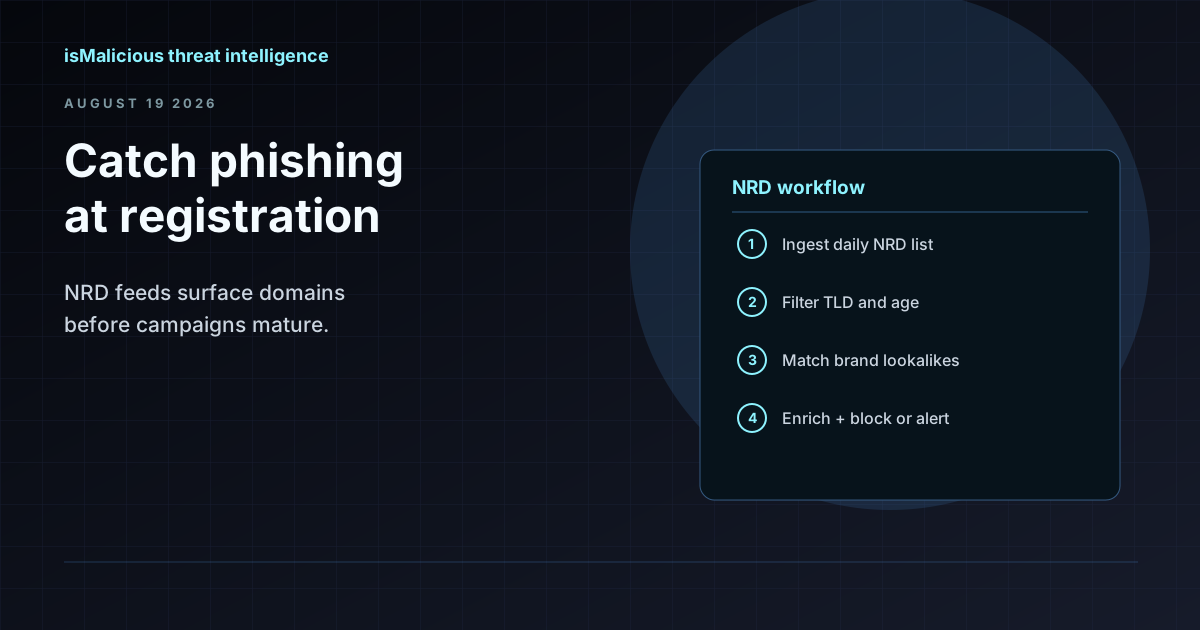 How to Use an NRD Feed to Catch Phishing Before It Lands in the Inbox
Newly registered domains are where most phishing campaigns start. This guide walks through NRD feed workflows for brand monitoring, mail gateway hygiene, and SOC triage — without treating domain age as a blunt block rule.
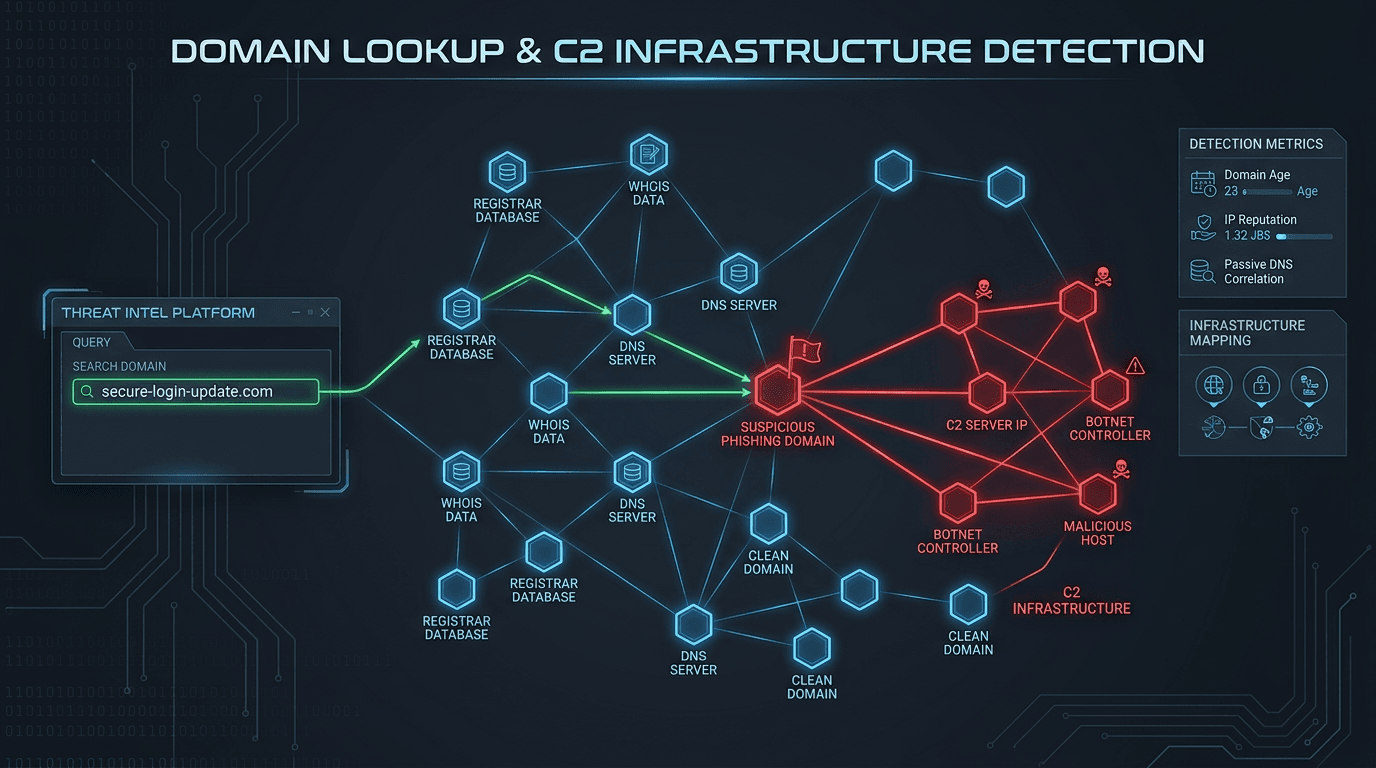 Domain Lookup for Phishing and C2 Infrastructure Detection
Phishing campaigns and malware operations depend on domain infrastructure that leaves detectable traces. Learn how advanced domain lookup techniques help security teams uncover phishing sites and command-and-control servers before they compromise your organization.
Check any IP or domain
See what our indexed threat intelligence records say about it.
Try the IP / Domain Checker