urlscan.io vs isMalicious: URL Scanning
urlscan.io captures what a page does; isMalicious tells you if it is malicious. Verdicts, redirect chains, and blocklists compared.
 IsMalicious Team
Analysts searching for a urlscan.io alternative are usually missing one specific thing: a verdict. urlscan.io is a capable URL sandbox — it renders a page, captures the DOM, takes a screenshot, and makes the result searchable — but it stops short of telling you whether the URL is actually malicious. isMalicious is built around that exact question, and this post compares the two directly so you know when to reach for which, or how to chain them together.
What urlscan.io Does Well
urlscan.io earned its place in analyst toolkits for good reasons:
- Sandboxed page rendering — it loads a URL in a controlled environment and captures the resulting DOM, requested resources, and network activity.
- Screenshots on demand — a visual snapshot of what the page actually looked like at scan time, useful for phishing kit identification and takedown evidence.
- A public search corpus — millions of historical scans are searchable, which helps analysts find prior sightings of a kit, template, or infrastructure pattern.
- Structural detail — certificate chains, embedded scripts, and third-party resource loads are all visible in the capture.
That combination makes it genuinely useful for the "what does this page actually do" question — especially during phishing kit triage, when you need to see the rendered page without visiting it yourself.
Where the Gap Shows Up
The gap is what happens after the scan finishes. urlscan.io's capture does not, by itself, tell you:
- Whether the URL is malicious — there's no built-in verdict or risk score attached to a scan result.
- Whether the hosting infrastructure has a history — no built-in blocklist membership or reputation trail for the domain or IP behind the page.
- Where a shortened or redirected link actually leads, beyond the single page captured — multi-hop redirect chains require manual follow-up.
- How the finding should feed downstream defenses — there's no native blocklist feed to push confirmed-bad infrastructure into your own controls.
None of that is a knock on the sandbox itself — DOM capture and verdict scoring are different disciplines. But it does mean sandbox output alone leaves analysts making the "is this bad" call by hand, every time.
What isMalicious's URL Scanner Adds
isMalicious's URL scanner is built around closing that specific gap:
- Reputation scoring — every scanned URL gets a verdict backed by isMalicious's threat-intelligence dataset, not just a raw capture.
- AI-driven analysis — the AI layer reads page content and infrastructure signals together to flag phishing patterns that a static capture alone wouldn't surface.
- Redirect-chain tracking — the scanner follows the full hop sequence from the original link to the final landing page, so shorteners and open redirects don't hide the real destination.
- Domain and DNS-history context — pairing the verdict with domain reputation and DNS history shows whether the infrastructure behind the URL has a track record, or just spun up.
The output is closer to "here's the answer" than "here's the evidence for you to interpret."
Combined Workflow: Sandbox First, Verdict Second
In practice, the two tools complement each other well in a phishing-report or takedown workflow:
- Sandbox the URL first for visual and DOM evidence — a screenshot and rendered structure are useful artifacts for a takedown request or an internal ticket.
- Run the verdict and enrichment second — pull a reputation score, redirect-chain map, and domain/DNS history to confirm the infrastructure is actually malicious before acting on it.
- Escalate or close based on the combined picture — visual evidence plus a confirmed verdict is a stronger basis for takedown, blocking, or user notification than either signal alone.
Doing the sandbox capture and the verdict lookup in sequence, rather than treating them as substitutes, is what most mature phishing-response workflows end up converging on.
Feature Comparison
| Capability | urlscan.io | isMalicious |
|---|---|---|
| Sandbox capture (DOM/screenshot) | Yes | Not the primary focus |
| Malicious verdict scoring | Not built in | Yes |
| Redirect-chain analysis | Partial (single-scan visibility) | Yes, full hop tracking |
| Blocklist feed | No | Yes |
| API access for automation | Yes | Yes |
API and Automation for IR Teams
For incident-response and phishing-takedown teams, the manual-lookup version of this workflow doesn't scale. isMalicious's API is built for exactly this: a single call returns the reputation verdict, redirect-chain map, and domain/DNS-history context together, so a SOAR playbook or a takedown pipeline can auto-triage a reported URL without a human running three separate lookups. Teams building out incident-response tooling typically wire this in as the enrichment step right after a phishing report lands, before it ever reaches an analyst's queue.
Blocklist Integration Once Infrastructure Is Confirmed
Once a URL's underlying domain or IP is confirmed malicious — whether through the isMalicious verdict, corroborating sandbox evidence, or both — it belongs in a feed that other controls can consume. isMalicious's blocklist exists for that step: confirmed-bad infrastructure is exposed as a feed that firewalls, DNS resolvers, and email gateways can pull from, closing the loop between "we found this" and "our infrastructure now blocks this" without a manual export step in between.
Getting Started
If your phishing-response workflow currently stops at a sandbox capture, the fastest improvement is adding a verdict step right after it. See the isMalicious side of the urlscan.io comparison for a closer look at how the two fit into the same pipeline, then run a live URL through the URL scanner to see the reputation score, redirect chain, and domain history returned alongside it. For teams standing up automated takedown or IR playbooks, the API is the place to start wiring the enrichment step in.
FAQ
Frequently asked questions
Is isMalicious a replacement for urlscan.io?
Not exactly — they solve different halves of the same problem. urlscan.io is strong at sandboxed DOM capture and screenshots of a URL; isMalicious is built for verdict scoring, redirect-chain tracking, and blocklist integration. Many teams run both: sandbox first for visual evidence, then isMalicious for the reputation call and downstream automation.
Does urlscan.io tell you if a URL is malicious?
urlscan.io itself focuses on capturing what a page does — DOM structure, requested resources, a screenshot — rather than issuing a built-in malicious/clean verdict or a risk score. Analysts typically have to interpret the capture themselves or cross-reference it against a separate reputation source, which is where a dedicated verdict engine like isMalicious fits in.
Can I automate phishing takedown workflows with isMalicious?
Yes. The isMalicious API returns reputation, redirect-chain, and domain/DNS-history data in a single call, which SOAR playbooks and incident-response tooling can consume to auto-triage phishing reports, queue takedown requests, and push confirmed-malicious infrastructure into a blocklist feed without manual lookups.
What does isMalicious add on top of a sandbox scan?
A reputation verdict with a risk score, AI-driven analysis of the page and its infrastructure, full redirect-chain tracking from the original link to the final landing page, domain and DNS-history context, and a blocklist feed that downstream security tools can consume once infrastructure is confirmed malicious.
Related articles
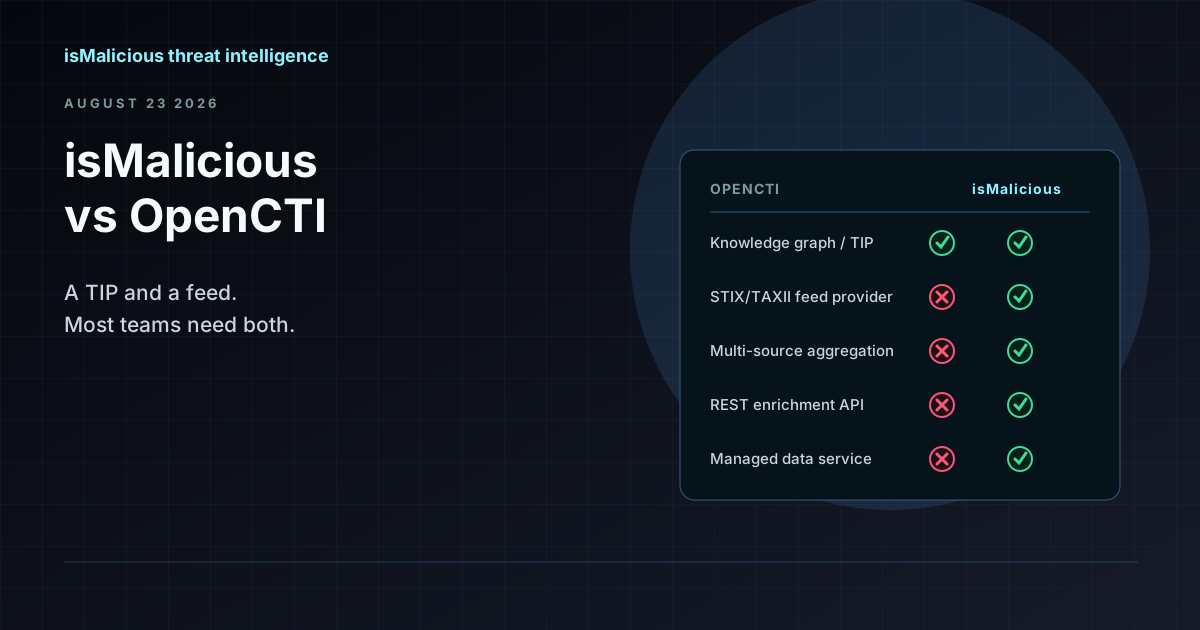 isMalicious vs OpenCTI: Why This Is the Wrong Comparison (and How They Work Together)
OpenCTI is a threat intelligence platform and knowledge graph. isMalicious is a data provider that feeds it. Teams searching for an OpenCTI alternative usually need a feed, not a replacement TIP.
 SSO Vishing And SaaS Data Theft: Domain Monitoring Before The Helpdesk Call
ShinyHunters-style SSO vishing shows how fake login domains, MFA enrollment abuse, and SaaS access can become data theft. Domain monitoring gives defenders early warning.
 Outsider Enterprise Takedown: AI Phishing Infrastructure Is Now A Domain Reputation Problem
The FBI, Google, and Black Lotus Labs disruption of Outsider Enterprise shows why AI phishing defense needs URL scanning, domain reputation checks, blocklists, and fast API enrichment.
Check any IP or domain
See what our indexed threat intelligence records say about it.
Try the IP / Domain Checker