Threat Intelligence

File Hash Reputation MD5, SHA1, and SHA256 malware hash lookup

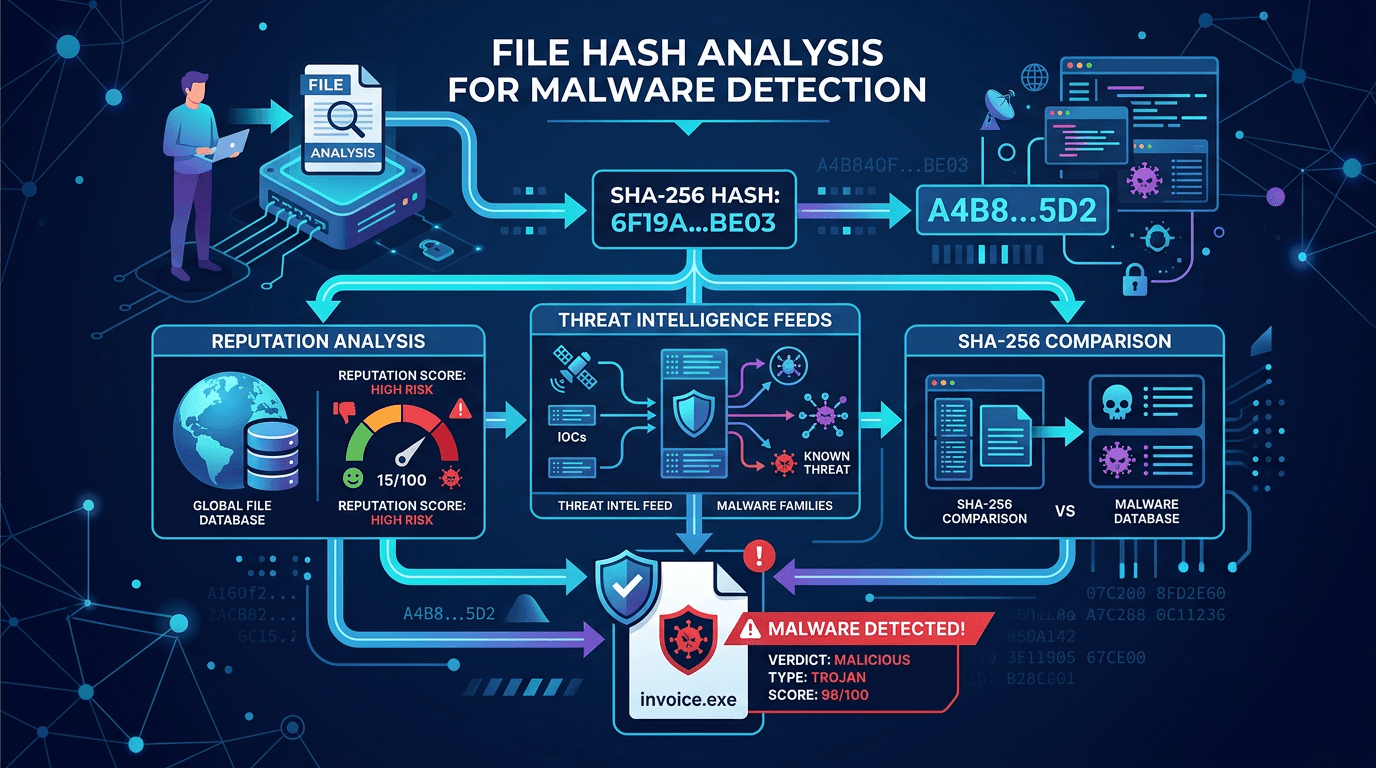
Check a file hash before it becomes a manual investigation bottleneck. Enrich MD5, SHA1, and SHA256 indicators with reputation, malware context, related infrastructure, and API-ready evidence for SOC queues and incident response.

Try it now

Try
Output

MD5

Legacy Hashes

SHA1

Detection Rules

SHA256

Modern IOCs

Bulk

SOC Enrichment

Capabilities

Key Features

Everything you need to protect your infrastructure and users

Hash Reputation Verdicts

Classify known malware hashes with confidence context instead of stopping at a raw indicator match.

Related Infrastructure

Pivot from a suspicious hash to related domains, URLs, IPs, and campaign context when available.

Bulk IOC Enrichment

Process hashes alongside IPs, domains, and URLs in batch workflows for SIEM and SOAR queues.

Incident Response Context

Attach source evidence, threat categories, and recommended next checks to analyst reports.

API-First Workflow

Use REST endpoints, SDKs, and OpenAPI tooling to integrate hash checks into existing pipelines.

No File Upload Required

Check known file fingerprints without transferring sensitive samples outside your environment.

Applications

Use Cases

How security teams use this tool

EDR Alert Enrichment

Enrich file hashes from endpoint alerts before escalating to Tier 2 analysts.

SIEM and SOAR Automation

Batch-check hash indicators with domains, IPs, and URLs during triage playbooks.

Malware Investigation

Prioritize samples by known reputation and pivot to related infrastructure.

Trust and Safety Review

Screen submitted file fingerprints without uploading user content.
What is file hash reputation?

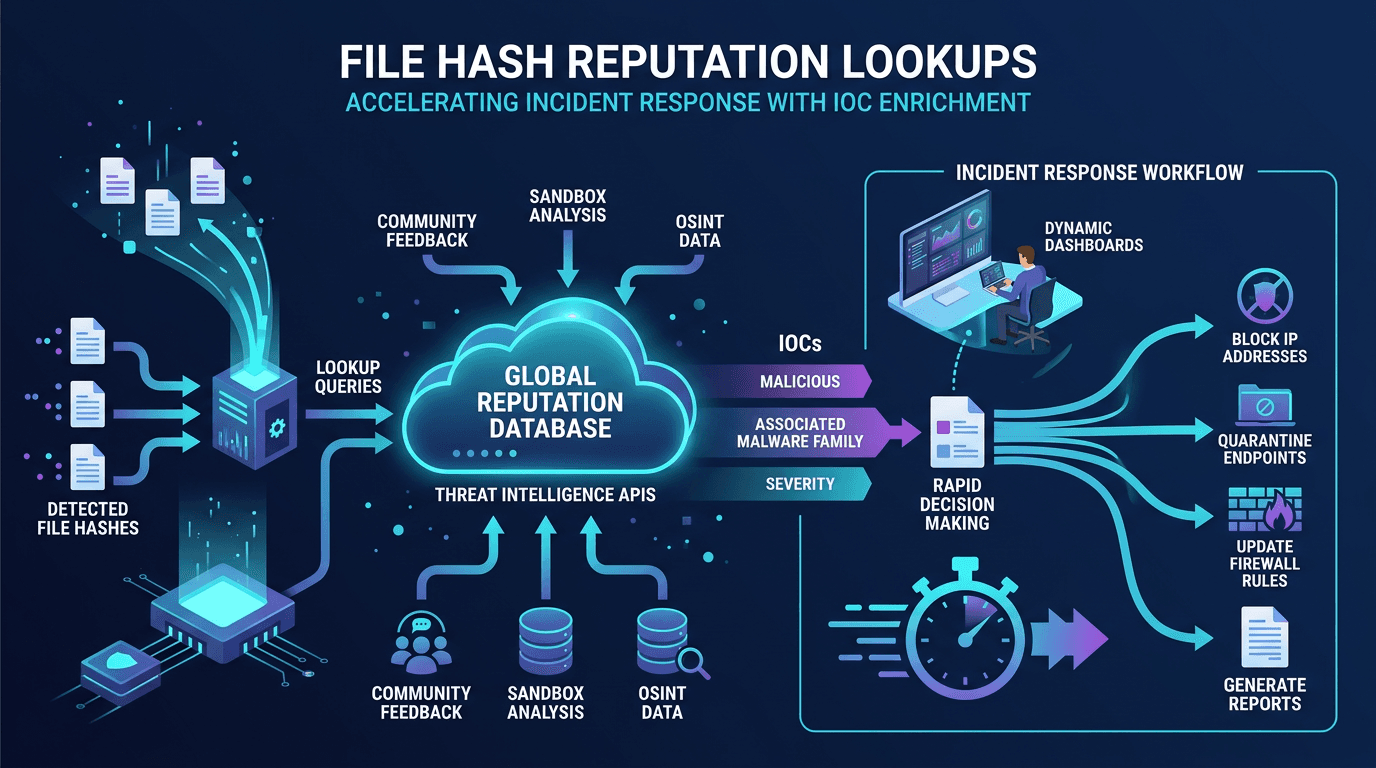
File hash reputation is the process of checking a cryptographic fingerprint, usually MD5, SHA1, or SHA256, against threat intelligence sources. A match can indicate known malware, suspicious tooling, or a file previously observed in malicious campaigns. Hash reputation is fastest when used as an enrichment signal, not as the only decision point.

How to use hash reputation in SOC workflows

Hash lookups are most valuable when they are automated. Extract hashes from EDR alerts, email attachments, SIEM events, or sandbox output; query reputation in bulk; then enrich the case with related domains, URLs, IPs, source evidence, and confidence levels. Unknown hashes should remain triage items, not automatic allow decisions.

Hash checks vs malware sandboxing

A hash reputation lookup answers whether a fingerprint is already known. A sandbox executes or detonates a file to observe behavior. Use reputation checks for speed, deduplication, and first-pass triage; use sandboxing when the file is unknown, polymorphic, packed, or requires behavioral analysis.

API-first IOC enrichment

The same workflow used for file hash reputation can enrich IPs, domains, and URLs. This makes it easier to build a single IOC enrichment pipeline for alerts, tickets, and detection engineering instead of maintaining separate tools for each indicator type.

Support

Frequently Asked Questions

Which file hash formats are supported?
The lookup workflow supports common malware reputation indicators: MD5, SHA1, and SHA256 hashes.
Is this a file upload sandbox?
No. isMalicious checks hash reputation and related threat intelligence. It does not upload or execute files like a malware sandbox.
How should SOC teams use hash reputation?
Use hash reputation as an enrichment step for EDR, SIEM, and incident response alerts. Pair the hash verdict with related IP, domain, URL, and CVE context before taking action.
Can I check hashes through the API?
Yes. The same reputation workflow can be used from the API and bulk lookup endpoints for automated IOC enrichment.
Get Started

Ready to Get Started?

Join thousands of security teams using isMalicious to protect their infrastructure.