DMARC XML Reports: Interpret Authentication Failures
Read aggregate DMARC reports, distinguish alignment from authentication, and prioritize anomalies by sending service and business impact.
 IsMalicious Team
A DMARC XML report becomes useful when each row leads to a decision: fix an authorized sender, investigate an unknown source, or document expected forwarding. The total failure count alone cannot tell you which action to take. A small, misconfigured billing flow may need attention sooner than a large volume of spoofed messages already being rejected.
This method turns an aggregate report into a work queue. It does not assume that every recipient produces reports or that the reported messages reached an inbox.
Check the file before counting
Preserve the email carrying the report, its original attachment, and a decompressed working copy. Record the reporting organization, report identifier, affected domain, and reporting period. The file's arrival date is not necessarily the date of the events.
Treat the input as an external file. Set limits on its decompressed size and use an XML parser with external entities disabled. OWASP's XXE prevention guidance explains how a poorly configured parser can access unexpected resources. Reading values from a report does not require network access.
Check the actual format received. RFC 9990 defines the current aggregate DMARC report format, while some producers may still use the historical format. Report an unsupported format as an import error, not as a report containing zero messages.
Separate three levels of information
The metadata identifies who is reporting and for which period. The published-policy section describes what the receiver observed. The record elements group results associated with a source IP and authentication identities. Within each row, count is a number of messages.
policy_evaluated describes the DMARC evaluation, whereas auth_results exposes the underlying SPF and DKIM results. This distinction explains apparent contradictions. Keep both blocks in your export, together with the evaluated domains, before aggregating anything.
Create a working table with one row per observed group: reporter, period, IP, visible domain, SPF domain, DKIM domain, results, disposition, and volume. Then add your own columns for recognized service, internal owner, evidence of recognition, and action. These make the table usable by a team without modifying the received data.
An excerpt that appears contradictory
This fictional example is an educational fragment, not a complete report ready for import. Its .example domains and IP address are reserved for documentation.
<record>
  <row>
    <source_ip>192.0.2.74</source_ip>
    <count>24</count>
    <policy_evaluated>
      <disposition>none</disposition>
      <dkim>fail</dkim>
      <spf>fail</spf>
    </policy_evaluated>
  </row>
  <identifiers>
    <header_from>entreprise.example</header_from>
  </identifiers>
  <auth_results>
    <dkim>
      <domain>prestataire.example</domain>
      <selector>support</selector>
      <result>pass</result>
    </dkim>
    <spf>
      <domain>rebonds.prestataire.example</domain>
      <scope>mfrom</scope>
      <result>pass</result>
    </spf>
  </auth_results>
</record>
For this exercise, assume the observed policy is p=none. The provider passes the raw checks, but its identities do not align with the company's visible domain. DMARC's alignment requirement explains the result: successful authentication must also align with the author's identity. See RFC 9989.
The useful question is therefore: “Should this provider send on the company's behalf, and is its custom-domain configuration complete?” Arbitrarily adding its IP to a trusted list does not address the problem shown in the excerpt.
Recognize a service through business evidence
Start with sources your inventory associates with an internal service. Request a test send, its identifier, and the received message's headers. Match those pieces to the XML group. An IP belonging to a major provider is not sufficient: multiple customers may share its infrastructure.
For an unknown source, look for a possible owner in finance, support, marketing, and IT. A suggestive domain name is a lead, not approval. Document the response and the period checked, particularly for applications that send only at month-end.
If nobody recognizes the flow, leave its status as unknown. The SOC IOC enrichment guide helps add context about IP addresses and domains. That context does not prove a platform was authorized to use your identity.
Prioritize by observable impact
First, assign an action to legitimate flows that fail: an owner to contact, a setting to inspect, and an expected test. State the business risk, such as missing support notifications. Avoid assigning priority solely by volume.
For an unknown source whose messages fail, open a focused investigation. Check whether the group is new, whether it persists, and whether a user reported a corresponding message. An aggregate report may not contain enough information to attribute a campaign or establish what content was sent.
An unknown source that passes deserves review too. Look for a forgotten authorization, an integration deployed outside the inventory, or an unexpected use of an existing service. Successful authentication does not establish that its use was approved.
The DMARC deployment guide covers configuration steps. When deciding whether to tighten policy, rely on recognized and tested flows, observed over a period that covers your actual usage.
Compare periods without inventing progress
Deduplicate reports before summing their volumes. Use the reporter's identity and report identifier, retaining the domain and period to detect anomalies. If two files claim to be the same report but have different contents, flag the conflict instead of silently keeping the latest one.
Compare equivalent sets of receivers. Fewer failures may mean a missing file or a producer that stopped reporting. Display expected and received reports alongside message volumes so that a correction can be distinguished from lost visibility.
After each change, keep a before-and-after table by service and the results of reception tests. An overall improvement can conceal a new problem in a small flow. Retain unexplained differences with a responsible owner and a review date.
For an unknown IP or domain, open an IsMalicious report and attach the dated result to the investigation row. That gives each source an evidence-based decision while leaving mail traces to establish sending and reception.
Frequently asked questions
- Does count in a DMARC report mean unique recipients?
- No. It represents the number of messages grouped into that report row. It does not tell you how many distinct users or campaigns were involved.
- Why can SPF pass while the SPF result for DMARC fails?
- The raw SPF check can pass for the envelope domain while that domain is not aligned with the visible From domain. The two fields describe different checks.
- Does a DMARC report replace delivery logs?
- No. It provides an aggregate view from one receiver over a given period. Verifying delivery of a specific message requires the corresponding sending and receiving traces.
Related articles
- SPF Permerror: Fix the DNS Lookup Limit
Trace SPF dependencies, distinguish permerror from fail, and reduce DNS lookups while testing every sending service.
 SMTP 550 5.7.1: Find the Cause of an Email Rejection
A 550 5.7.1 rejection can involve recipient policy, authentication, or reputation. Use the full diagnostic and delivery traces to find the cause.
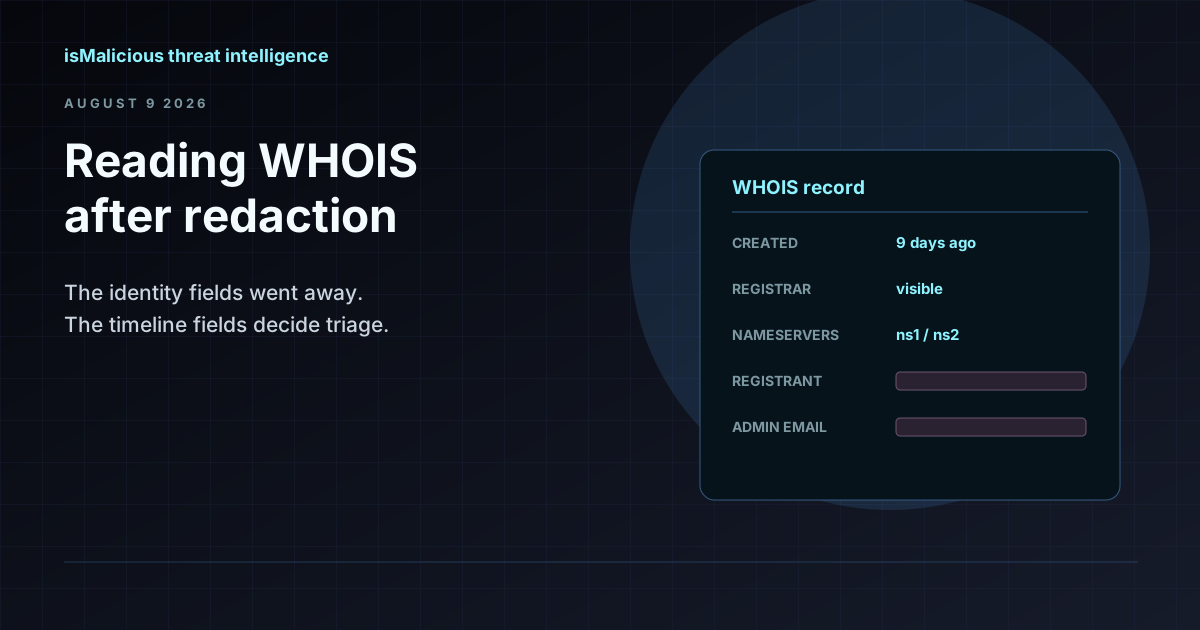 WHOIS Lookup for Security Investigations: Reading a Record After Redaction
Privacy services stripped the registrant name out of most WHOIS records, but the fields that matter for triage survived. Here is what a WHOIS record still tells an analyst, and how to read it.
Protect Your Infrastructure
Check any IP or domain against our threat intelligence database with indexed records.
Try the IP / Domain Checker